
How to Resize Bulk Images at Once in Mac
Batch editing and resizing images on your system could be a cumbersome task when you need to do it manually.
Here, it not only consumes a lot of time, but it takes a lot more efforts as well. To deal with this situation, we suggest you should use the best images resizer tools to edit images on your Mac. Let’s review some of these tools here.
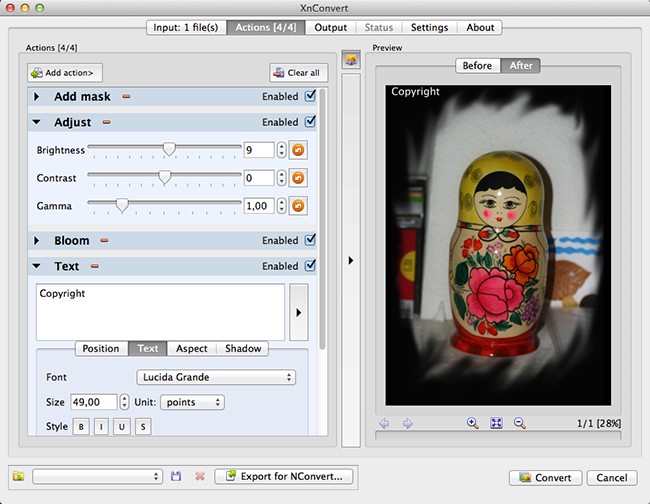
XnConvert
Try this one of the best bulk image resizer apps to instantly resize and manage your photo collection on Mac. This powerful and free cross-platform batch image process helps you perform over 80 types of actions on your system. It works on batch processing module of XnViewMP. Using this tool, you can batch edit metadata, rotate, crop, resize and edit images in bulk, adjust image’s brightness, contrast, saturation and more. It offers multiple filters and effects to perform the most intensive task in seconds. Here, you can even export all edits to NConvert for a command line usage. This multi-platform tool works seamlessly on Mac, Windows, and Linux. This multilingual tool supports translation in more than 20 languages.
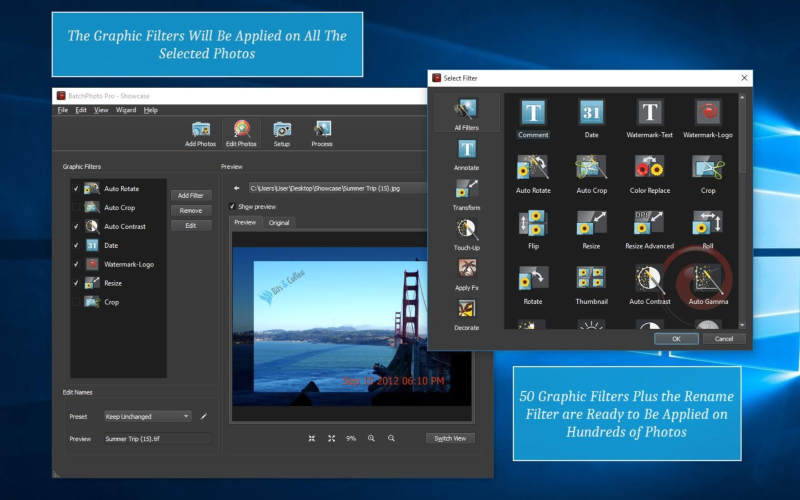
BatchPhoto
BatchPhoto helps you perform all repeatable actions easily on bulk photos on your Mac. You can use this tool to resize, convert, crop, watermark, rename, date stamp and for plenty of other tasks. It supports multi-core CPUs to help you edit thousands of photos in a single operation. It gives you the freedom to monitor and manage bulk photos in a jiffy. Here, you can watch folders to find new or edited images and automatically apply a custom set of edits. It supports converting more than 170+ image formats including TIF, JPG, PNG, GIF, PDF and more. It even supports RAW images. It helps you edit photos in bulk and upload them to Facebook, Flickr, FTP or other sites. You can use this tool to date stamp image files in batch with their original date & time as taken from the EXIF data. It offers multiple filters including auto contrast, sharpen, auto gamma, brightness, and more.
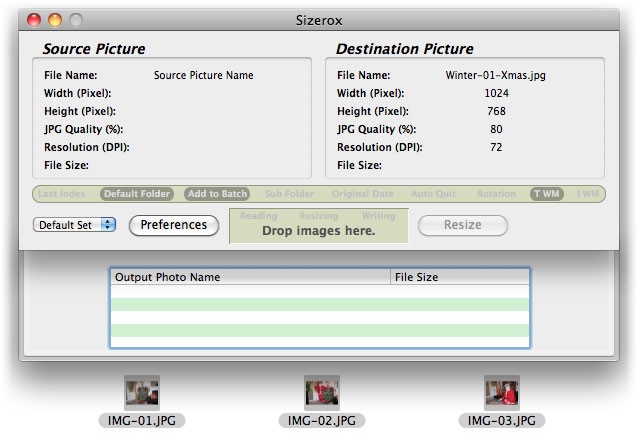
Sizerox
Use Sizerox to batch edit thousands of photos in the single drag-and-drop process. It supports all major file formats and helps you resize, crop, rename, watermark, rotate or edit images in multiple other ways. Once edited, you can share these images on email, share them on the web or simply upload them on iPod or iPhone. It uses Apple Quicktime to save all resized photos so that the quality of the resized photos remains high. It even allows you to set and use presets for easy batch editing on your Mac. Using its powerful renamer engine, you can easily rename thousands of images while resizing them. It offers several possibilities to edit your images instantly & effectively. You can use its text watermark or image watermark features to ensure the security of your images.
PhotoBulk
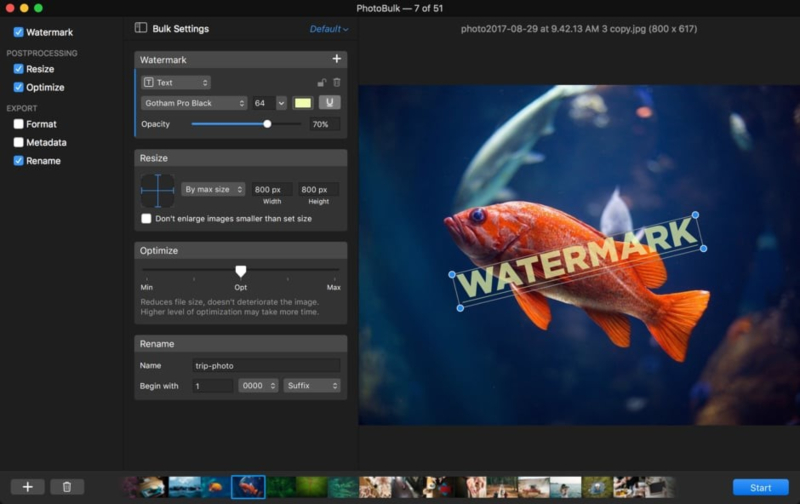
Use PhotoBulk to dramatically simplify batch image editing on your Mac. You can use this tool to simplify batch editing, rename images, compress image files, optimize photos, add watermark, rotate & crop images, and for multiple other actions. It works as a perfect PNG to JPG converter for Mac. This smart batch image resizer brings a redesigned visual experience to your desktop. You can use this tool to enjoy a new visual experience with the sleek dark interface. It displays a live preview of all editing to help you see how the edits will work on your images. It is useful to see changes in real time and edit images accordingly. It offers multi-watermarking option to help you select many watermarks of different types as needed. This smart batch image editor supports all major image formats, helps you include metadata in converted images and rename images to keep your photo library in order. You can use this tool to resize image size while keeping the original quality, resolution, and format.
JPEGmini
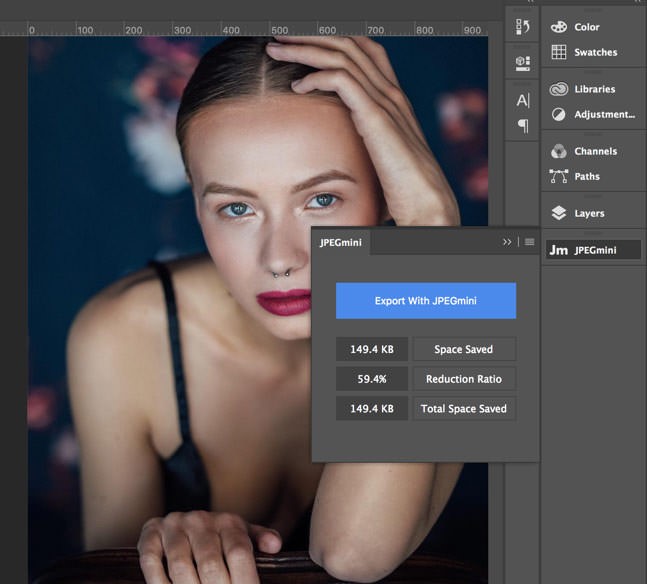
JPEGmini works as a cross-platform tool and performs different actions smoothly on both Mac and PC’s. You can use its multicore processing to optimize your photos instantly at high speed. Here, you can simply drag and drop any number of photos for editing & resizing to save your time. You can further select different output sized for the same folder of images in the single session. It supports all high-resolution images from all leading camera brands. This smart solution doesn’t alter the perceptual quality of the image file; thus, you can print these images at the same size you normally do. JPEGmini is optimized for Lightroom & Photoshop images. This nifty tool is equally useful for both novice & pro users and delivers instant and effective results.
Conclusion
So, these are the best image resizer apps for your Mac that helps you easily & safely edit & resize images on your desktop. If you have our personal favorite batch resizer tools for Mac, then feel free to comment below.


Posted by Srishti Shreshth

Related Posts

The growth of digital advertising has unlocked countless opportunities but also introduced significant risks for modern marketing teams.

Job hunting still devours your evenings—tweaking résumés, re-entering work history, clicking Apply on repeat.

Real-time applications are changing the way we interact with digital platforms, providing instant updates and smooth experiences.

Within a modern digital ecosystem, member platforms play a pivotal role in managing and engaging user communities.


AI has been around for a while and the automation of numerous business processes and systems has arguably been the precursor of the current debate and the basis for practical development of AI.










Comments
comments powered by Disqus