
How to Create a One-Page Website
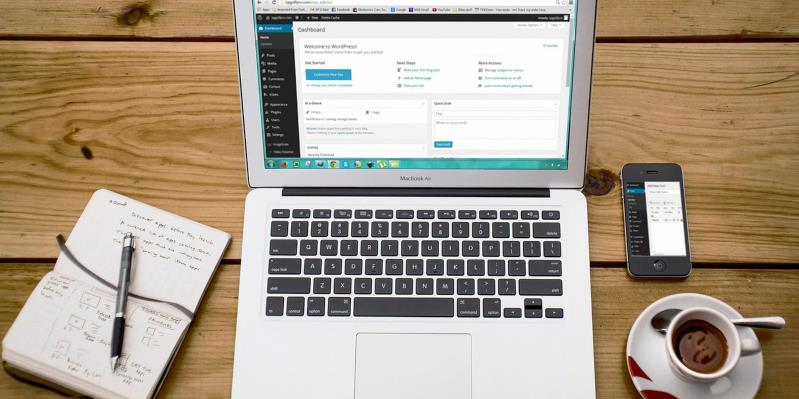
Single page websites present a clear picture of your products and services to your visitors.
They are great for sharing portfolios, serving as landing pages for products or events. Let’s delve deep and learn what it takes to create a one-page WordPress website, and if it is the solution for you.
Is a One-Page Website for You?
One-page websites are a great way to give an overview of a single product, service or event. Multiple products require separate pages for each item.
One-page websites are optimized for mobile device browsing too. If your audience will be viewing your site on their phones or tablets, a single page may be best for you.
A single page would work for you if you have only one or two Calls to Action such as “sign up for my newsletter” or “buy now.” If you need people to RSVP for events, purchase items and take online classes, you’ll need more pages on your site.
If you have a limited amount of content to share, single page websites would work for you. When your content is focused on one product, one page is all you need to express features, benefits and how to purchase the product.
One-page websites require much less maintenance too. This is great if you don’t want to spend a lot of time updating a website or can’t afford a developer to do it for you. If your product is steady and isn’t expected to have major changes, and you’ll only need to update some copy or change images, then a single-page site will make life much easier.
What You’ll Need
- Your domain name
- A web hosting service
- WordPress software
- A WordPress one-page theme
How to Create a One-Page WordPress Website
Let’s break down the steps you need to create a one-page WordPress site:
Get a Domain Name
First, you’ll need to choose your domain name. We recommend making your domain name short, unique and memorable. You can purchase your name from numerous domain registrars available online, or ideally, in the same place where you opt to choose your web hosting service. Keeping everything under the same roof will definitely make management easier.
Choose Your Web Hosting
Without a hosting company, no one can see your website, as its files won’t be placed somewhere, where they can be accessed 24/7. Make sure to do your research, check if the available plans will provide enough resources for expected traffic, and if the uptime and the track record of the company are reliable.
Install WordPress
Luckily, most web hosting providers offer a one-click WordPress installer. That means the installation process will only take a minute, and you’ll be ready to work as soon as possible. If your chosen web hosting doesn’t provide an auto-installer, you can download the CMS from WordPress.org, and install it manually.
Pick a One-Page WordPress Theme
Pick a one-page WordPress theme. They’re designed with the sections you’ll need such as, About Us, Features and Contact. You’ll be able to customize each section with your own content with only a few clicks. Look at other one-page websites and see what would work for you. Make sure you choose a responsive theme too, to get the most out of your site, after all, 52% of all internet traffic comes from mobile devices. There’s plenty of options out there. Additionally, be sure not to overlook multipurpose themes like Hestia.
Modify Your Theme and Add Plugins
At this point, you might have to make plenty of modifications to your theme. Everything from adjusting widgets, to installing a contact form. Additionally, you might want to make visual modifications like removing page titles (which you can learn to do atHostingwiki.org or add features to your dashboard with a plugin like Yoast SEO for improved content optimization.
Tips for a Great One-Page Website
Now that you know how to launch a one-page site, let’s learn what makes a good one:
Start with an attractive header that includes your logo, company name, and tagline. A website header is the first thing visitors see when they go to your site. Your header should communicate what your business offers at a glance.
Use easy-to-read fonts. Don’t get too fancy. People skip over text that’s hard to read. Use one or two web-safe fonts, one for headings and one for text.
Use clear section titles so readers can easily find the content they want. Many readers skim pages to find the exact information they’re searching for. Common sections include about us, product, features and benefits, portfolio, testimonials and contact us. Use navigation links to your headers so readers can jump to different sections of your one-page website with ease.
Show your information in an easy-to-follow order with the most important points first. Be sure to present the core features of your service or product first.
Have a section for each of the core features/benefits of your product or service. You want to highlight your strengths to draw your audience in. If you have more information to share, you may want to add links to your social media in the Contact section. Visitors can read more about you on your Instagram or LinkedIn page.
Include one or two Calls to Action, but no more. A Call to Action is an encouragement for what you would like your visitor to do. They should encourage users to order your product, sign up for a newsletter, or similar. Too many CTAs will confuse readers on a single page website.
Make sure your contact information is displayed on the page. Nothing is worse than losing a potential customer because they can’t find you. Install a contact form so visitors can send you questions and comments. The contact section is a great place to include your social media links.
Lastly, make sure to optimize your images for a faster loading time. If your site loads slowly, people will go to another website.
Summary
A well-composed one-page website shows your product in the best light, in an engaging and easy to understand way. We hope that with the help of this article you’ll be able to create a beautiful one-page WordPress website that will help push your business forward.


Posted by Ingenium Web

iNGENIUM Ltd. is an software development company from EU which delivers a full range of custom .NET, web and mobile solutions for different business to meet partner's demand.
The Power of Imagination Makes Us Infinite
Related Posts

A business website plays a critical role in how customers discover, evaluate, and interact with a brand.

Job hunting still devours your evenings—tweaking résumés, re-entering work history, clicking Apply on repeat.

Lost your iPhone? Well, it can be a pretty scary experience, but we promise you that not all hope is lost.

Real-time applications are changing the way we interact with digital platforms, providing instant updates and smooth experiences.

In the world of JavaScript programming, asynchronous operations are a fundamental concept that every developer should grasp. Asynchronous programming allows your code to perform time-consuming tasks, such as making HTTP requests or reading files, without blocking the execution of the rest of your...

WordPress is the backbone of over 40% of websites on the internet, making it the most popular content management system (CMS) globally.











Comments
comments powered by Disqus