
Why You Should Change to Instagram Business Account Right Now

Even if you don’t own a business, you should change your personal Instagram account to a business account right now.
Changing to an Instagram business account gives you access to information that personal accounts don’t have access to that you can use to grow your Instagram much faster than if you were to grow your Instagram without the information.
What kind of information, you ask? Switching to a business account opens up access to Instagram Insights, which includes such information as:
- What day and time your followers are most active on Instagram
- Where you followers are located
- Which of your posts are producing the most engagement (Likes, comments, saves, shares, etc.)
This information is important because it relates to two of Instagram’s most influential factors when deciding which posts to show on someone’s feed.
Those two factors are Recency and Relationship.
Recency
Generally speaking, Instagram will show you a post that was uploaded five minutes ago closer to the top of your feed than a post was uploaded an hour go.
Therefore, the better you understand when the majority of your Instagram followers are online, the more effectively you can upload your posts so that the most possible followers see it.
Here’s how:
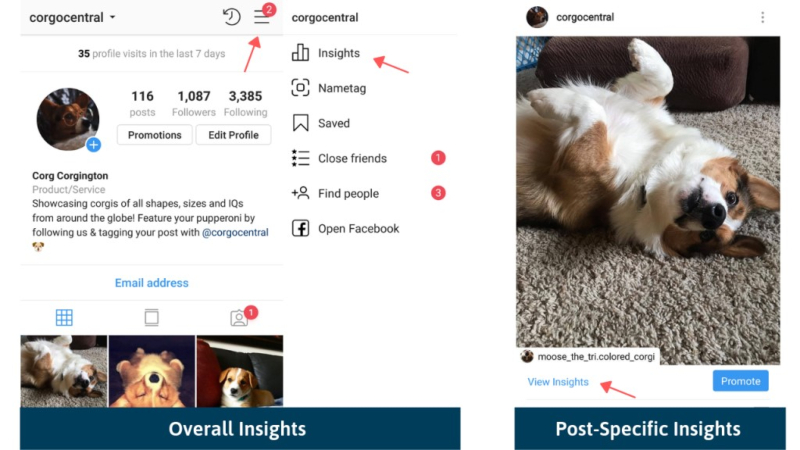
Tap on the three horizontal lines in the top right corner of your Instagram and choose “Insights”:
Then navigate to the Audience tab and scroll to the bottom of the screen:
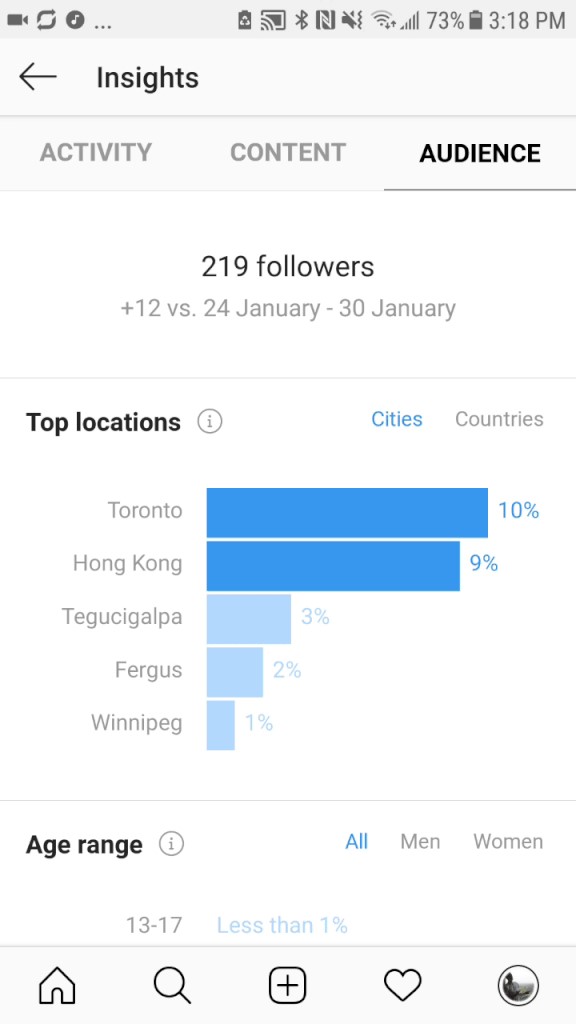
Here at the bottom of your Audience tab, you can see how many of your followers are online at every hour of every day.
You can then use this information to improve your Instagram scheduling strategy (pair this information with a free scheduler like AiGrow to make your life easier).
Example
If you notice that a large majority of your followers are online on Wednesdays at 10 AM and 6 PM, then you want to make sure that your posting every Wednesday at 10 AM and 6 PM.
Relationship
In addition to Recency, Instagram also prioritizes showing you posts based on who you interact with and how often you interact with their posts.
With this in mind, the more you can get someone to engage with your posts, the more often that Instagram will prioritize showing your posts high up in that person’s feed.
Fortunately, you can use the information from your Content and Audience tabs in Instagram Insights to improve the likelihood that your followers will engage with your posts.
Here’s how:
The first way relates back to the same information shown above.
If you know when your followers are online and you post accordingly, then you are improving the chances of your followers seeing your posts.
The more your followers see your posts, the more they’re likely to engage with it. The more they engage with your posts, the more likely that Instagram will continue to show them your posts on their feeds.
The second way relates to your Content tab in Instagram Insights.
Access your Content tab by opening up Instagram Insights and tapping “Content”.
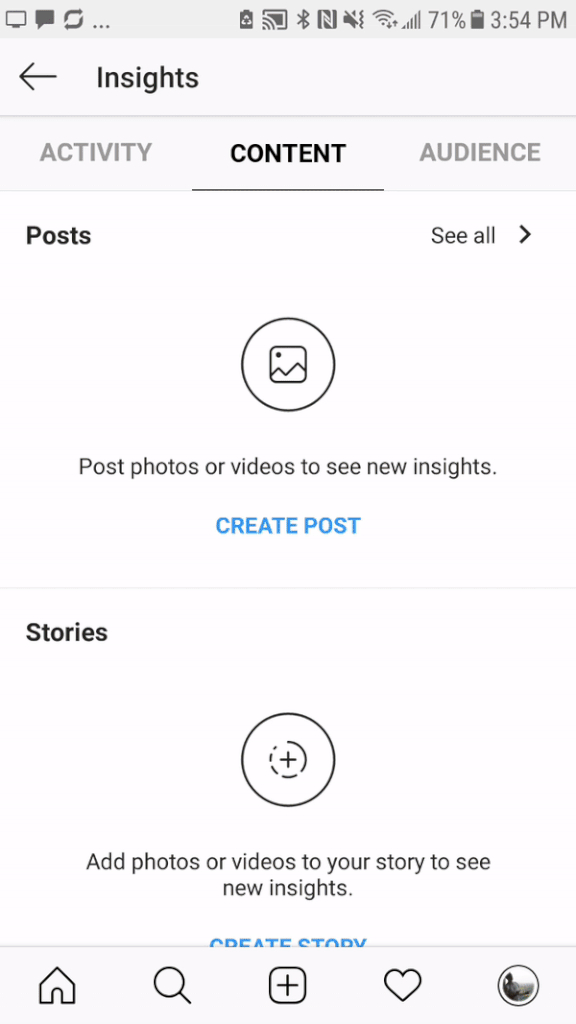
Once inside the Content tab, tap “See all” in the Posts section.
As shown in the GIF above, you can then see which of your posts have produced the most:
- Engagement (total of all possible types of engagement)
- Likes
- Comments
- Shares
With this information, you can begin to understand what kinds of posts produce the most engagement.
You can then create more of these kinds of posts to get more of your followers engaging with your posts.
The more of your followers engage with your posts, the more likely they’ll continue seeing and engaging with your posts.
It’s a beautiful cycle!
Example
If you’re a fitness personality on Instagram and you notice through Instagram Insights that your posts explaining how you make your morning shakes get more comments than any other kind of post, you could then prioritize posting instructional content about your shakes.
More ways to engage with you
As the cherry on topic, switching to a business account gives your followers more ways to engage with you.
For example, you can place a Call-to-Action (CTA) at the top of your Instagram page.
When someone clicks on this button, depending on your preference, they can choose to:
- Get Directions
- Call
- Buy/Get Tickets
- Order
- Book
- Reserve
In addition to gaining access to Instagram Insights, switching to a business accounts also gives people seven additional ways to engage with you.
This means more time your page, and more time on your page means a better standing in the eyes of the Instagram algorithm.
How to change your personal account to a business account:
Now that you know the benefits, it’s time to actually switch to a business account (if you haven’t already).
Fortunately, changing your Instagram personal account to a business account is simple.
Here’s how to do it in three steps:
Keep in mind that before you create your business account on Instagram, you must already have a business page on Facebook that Instagram can link with.
Conclusion
Switching to an Instagram business account gives you access to invaluable information you can use to skyrocket your Instagram, seven additional ways for people to engage with you, and can be done in under a minute.
If you don’t already have an Instagram business account, now’s the time to get one.


Posted by Sarah Smith

Related Posts

Speed defines Solana, but speed alone does not define useful testing.

Every question below came from real users, the kind that show up in forums and support threads over and over. The answers skip the fluff. If you have wondered any of these, read on.

Struggling to get your profile noticed no matter how often you post?

Imagine craving a beef burger really badly. So, you end up searching all the nearby restaurant options. What is the one thing that helps you decide where to order from?

The growth of digital advertising has unlocked countless opportunities but also introduced significant risks for modern marketing teams.






Comments
comments powered by Disqus