
Getting Started with Python Testing Tools
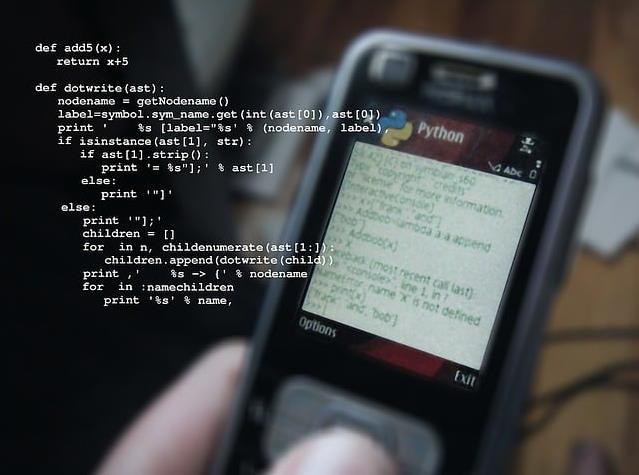
Key Highlights
- Testing is a crucial part of Python development. It helps make sure the code works well and reduces bugs.
- Python has strong testing tools like
unittestandpytestto make testing easier. - When writing unit tests, you focus on small parts of your code and check how they work.
- Test runners and debugging tools in Visual Studio Code make running tests and looking at results simpler.
- Knowing how to read test results and error messages can help you find and fix problems quickly.
Introduction
In software development, it is important to ensure your code works well and is correct. This is where Python testing frameworks like unittest and pytest come in handy. They provide tools and a structure for you to write good tests. These tests are pieces of code that check if each part of your code works the way it should. Whether you are a skilled Python developer or just starting, learning testing basics is key. It helps you create strong and easy-to-maintain apps.
Understanding Python Testing Basics
Before we discuss Python testing tools, let’s cover some basic ideas. Testing in Python is about writing code that checks if another piece of code works correctly. This "other code" can be a single function, a class, or even an entire module.
A testing framework helps you create tests easily. It ensures that the tests run in the same way each time. It also helps you see the results clearly. Popular Python testing frameworks, like the unittest framework and pytest, come with many handy features. These features include finding tests, running them, and displaying reports.
The Importance of Testing in Development
Imagine creating a complicated Python application without testing it. As your code gets bigger, it's tougher to ensure that changes don't create new issues. This is why testing matters a lot. Good tests work like a safety net. They give you confidence that your code runs smoothly and help you catch mistakes early in development.
Unit testing is all about checking the smallest parts of your code, such as single functions or methods. By dividing your code into smaller sections and creating test cases for each one, you can spot issues more easily. When a test doesn’t pass, the framework sends you an error message that shows exactly where the problem is in your code. This feedback helps you fix issues faster and saves you time during development.
Types of Testing: Unit Tests, Integration Tests, and More
While unit testing is key for a solid testing plan, it isn't the only testing you need. Integration tests, as the name suggests, look at how different parts of your app work together. These tests cover more areas than unit tests. They help to find issues that can occur when different parts interact.
A complete testing plan should also have:
- Functional Tests: These tests see if the app does what users want. They usually check the user interface or the API.
- Performance Tests: These tests check how quickly the app works and how much resources it uses in different situations. This helps discover and fix slow parts.
- Security Tests: These tests find security issues in the app, like SQL injection or cross-site scripting (XSS) problems.
A good test framework will often have tools for several kinds of tests.
Preparing for Python Testing
Before you write your first Python test, set up your testing environment. A good environment helps your tests run better. It also makes it simpler to manage your dependencies. Create a separate directory for your tests. Keeping them separate from your main application code is a good idea.
Setting Up Your Environment for Testing
Start by choosing a testing framework. If your project uses unittest or if you prefer a classic approach, then unittest is a solid option. However, if you are starting fresh or want a simpler style, pytest is an excellent choice. Both frameworks are easy to use and many people like them.
Once you pick a framework, create a directory just for your tests. A good option for the name is tests/ or something that matches the module you are testing. Inside this folder, you can organize your tests into different files. This way, you won't have everything in a single file.
Most testing frameworks offer you options for configuration to change how they operate. For example, you can select patterns to find tests, decide on output formats, and include plugins. Look at the documentation for the framework to get detailed instructions on the configuration.
Essential Tools and Libraries for Python Testing
Python has a good standard library for simple testing. It includes the unittest module. This module uses the xUnit framework. It helps you create test cases with the TestCase class. You can group these cases into test suites and run them together. If you want more advanced features, many third-party libraries can make Python's testing even better.
One popular choice instead of unittest is pytest. Many people appreciate pytest because it has easy-to-read syntax and useful features. You can use it for simple tests, manage complex setups, and add plugins. pytest simplifies the testing process.
In addition to the main testing frameworks, you should consider tools like coverage.py. This tool checks how much of your code your tests cover. You can also use mock (or unittest.mock) to isolate parts of your code during testing. These tools give important information about how well your tests perform.
A Beginner's Guide to Writing Your First Test
Let's use what we learned and practice. We will write your first test in Python. Imagine you have a simple function like this:
def add(x, y):
"""Adds two numbers together."""
return x + y
Now, we want to make a test to see if this function works correctly.
Step 1: Identifying What to Test
The first step to writing a test is to clearly say what you want to check. In this case, we want to make sure that add(x, y) adds two numbers the right way. We can break this down into smaller parts, called test cases:
- Test Case 1: Make sure that
add(2, 3)equals5. - Test Case 2: Make sure that
add(-1, 1)equals0. - Test Case 3: Make sure that
add(0, 0)equals0.
Next, create a new file in your tests folder. Name it test_your_module.py (replace your_module with the filename of your module). This file will contain our test class. The test class will have test methods for each of these test cases.
Step 2: Writing Simple Assertions
Now that we know what to test, it is time to create the test code. In your test_your_module.py file, write a test function for each test case.
import unittest
import your_module
Running and Debugging Tests
Now that we have our tests ready, we should run them to see if our code works properly. Python testing frameworks make it easy for writing tests and to run them. You can do this from the command line or directly in your code editor or IDE by using Ctrl commands.
If any tests fail, don't worry. These testing frameworks often provide helpful error messages and tracebacks. This way, you can find out where the problem is happening.
Using PyTest for Test Execution
If you have picked pytest as your testing framework, you can run tests from the command line in your current directory. Start by opening your terminal. Next, go to your project folder. After that, type the command: pytest.
Pytest will search for test files and functions in your project, including those in the tests directory and the src directory. The output is clear, so you can easily see which tests passed, which failed, and any errors that occurred.
You can modify how pytest behaves by using different command-line options. For example, using pytest -v will provide you with more details about the tests. If you use pytest -k "MyClass", it will run only the tests for MyClass. Additionally, if a test fails, running pytest --pdb will take you to the Python debugger.
Interpreting Test Results and Debugging Failures
After you complete your tests, take a moment to review the results. If all the tests pass, it shows that the test run was successful. However, if some tests fail, don't worry. Testing tools provide helpful feedback to guide you in finding the issue.
Focus on the error message from the test that did not pass. This message usually shows a traceback. It tells you the exact line in the code where the error occurred. Use this information to understand why the test failed. It can help you with your debugging efforts.
Conclusion
In conclusion, using Python testing tools is very important for making your code dependable and efficient. Incorporating Python unit tests into your workflow ensures each component of your application functions correctly. By learning the basics, setting up your testing environment, and running tests well, you can enhance the quality of your Python applications. Remember to use tools like PyTest to make testing easier and to fix issues. As you try different types of testing, including Python unit tests, and handle common problems, you will get better at development and create solid software. Stay curious, check out the best practices, and keep testing. Follow this tutorial to improve your coding skills. Start your Python testing journey today!


Posted by inGenium Ltd

iNGENIUM Ltd. is an software development company from EU which delivers a full range of custom .NET, web and mobile solutions for different business to meet partner's demand.
The Power of Imagination Makes Us Infinite
Related Posts

Struggling to get your profile noticed no matter how often you post?

Imagine craving a beef burger really badly. So, you end up searching all the nearby restaurant options. What is the one thing that helps you decide where to order from?

The growth of digital advertising has unlocked countless opportunities but also introduced significant risks for modern marketing teams.
Few things test your patience quite like a printer that refuses to cooperate when you're in a rush.

Staffing shortages are squeezing hotels on both sides of the Atlantic.






Comments
comments powered by Disqus